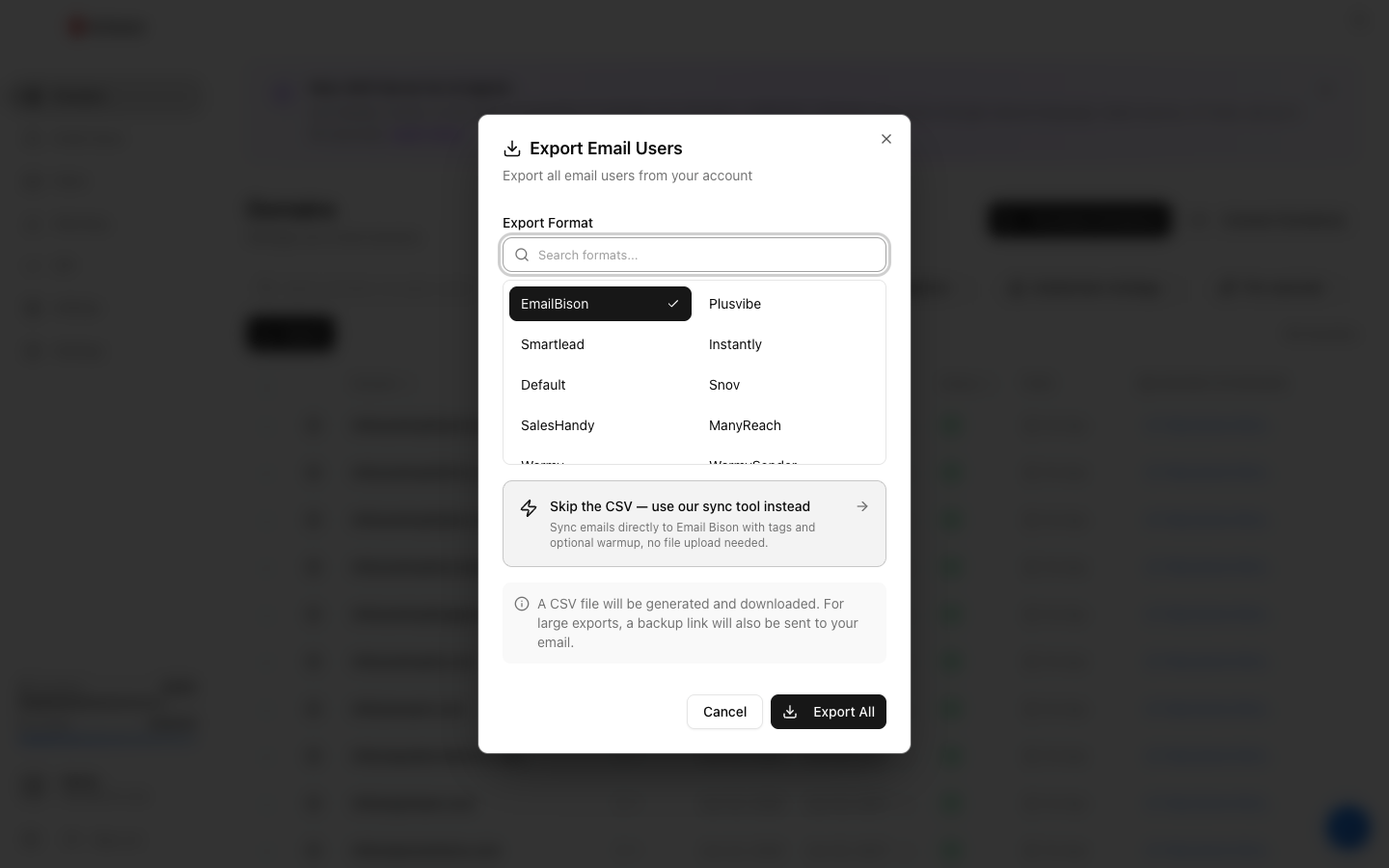
From the Email Users page, click Export at the top right. Pick your sending tool (Smartlead, Instantly, EmailBison, Salesforge, Snov, Reply.io, Woodpecker, Mailshake, SalesHandy, and 10+ more) or "Generic CSV" for anything else. Choose which mailboxes to include (all, or filter first). Winnr generates the correct format for that tool and downloads it instantly. No per-export fee.
Why so many formats?
Each sending tool wants slightly different CSV structure — different column headers, different auth flavors (some use IMAP + SMTP separately, some accept combined credentials), different escaping.
Getting the format wrong means the tool rejects the import or, worse, imports it wrong and only some mailboxes work. Winnr's per-tool exports handle all of that.
Categories of destinations
Purpose-built sending platforms (most customers use these): - Smartlead, Instantly, EmailBison — top three by usage - Salesforge — AI-powered platform - Reply.io, Woodpecker, Mailshake, SalesHandy — established players - Reachinbox, MasterInbox, Smartreach, ManyReach — newer or niche
Warming-focused platforms (if you're using something other than Winnr's warming): - Warmy, Plusvibe
CRMs / general sales tools: - Salesforce Engage integration format - Generic CSV for anything else
What's next
Step-by-step
-
1. Open Email Users
App sidebar → Email Users.
-
2. Optionally filter first
If you only want to export a subset — by domain, tag, warming status — apply filters before clicking Export.
-
3. Click Export
Button in the top-right of the page.
-
4. Pick the destination
Dropdown lists every supported tool plus Generic CSV. Each format is tuned for the target — right column headers, right authentication style.
-
5. Confirm
File downloads immediately. Import it into your sending tool per that tool's docs.
Frequently asked questions
Which sending tools are supported?
20+ direct exports — Smartlead, Instantly, EmailBison, Salesforge, Snov, Reply.io, Woodpecker, Mailshake, SalesHandy, MasterInbox, Reachinbox, Smartreach, ManyReach, PipeLime, Warmy, Plusvibe, Salesforce Engage, Reply.io, SendKit, AiCloser, LeadEngine, and MailLead. Anything not listed — use Generic CSV.
Does the export include passwords?
Yes — the file contains SMTP/IMAP host, port, username, and password for each mailbox. Treat exports as sensitive; don't share them.
Can I export just a single mailbox?
Yes — click a mailbox row, then the Export button in its detail panel. Or filter the list to that mailbox and use the main Export.
Is there a rate limit on exports?
No — no rate limits, no per-export cost. Export as often as you need.
If I rotate a mailbox's password, do I need to re-export?
Yes — the old export has the old password. Rotate, re-export, re-import into the sending tool.