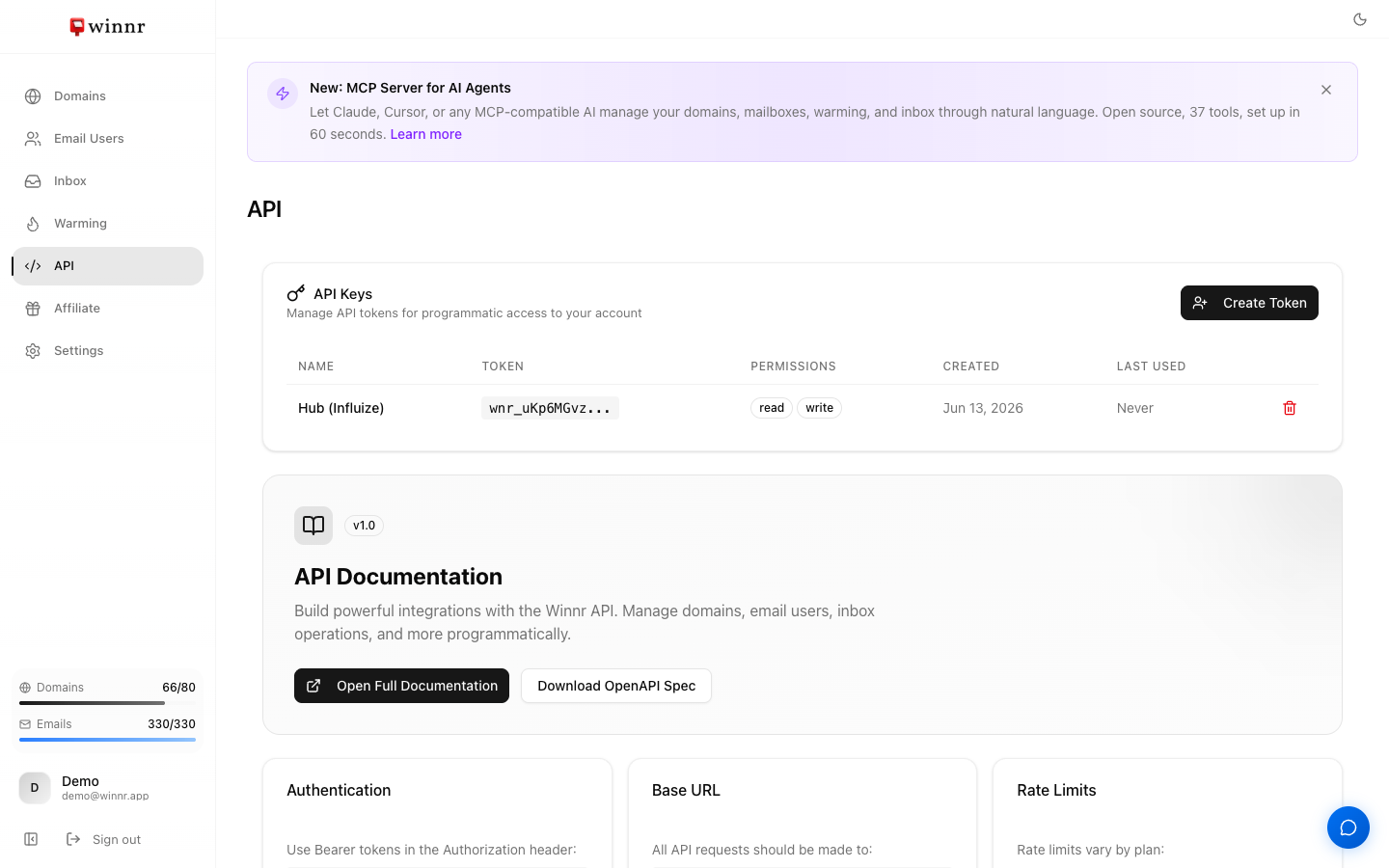
Settings → API Keys → Create Token. Give it a name, pick scope (read-only or read/write), and click Create. Winnr generates a token starting with "wnr_" — copy it immediately, it won't be shown again. Add the token as Authorization Bearer wnr_... to API requests. Revoke any time from the same page.
Token format
Every Winnr token starts with wnr_, followed by your account ID and then a random string. The prefix helps identify Winnr tokens in logs or secret managers vs. other services.
Full format: wnr_<account_id>_<24 random alphanumeric chars>
Scope choices
Read-only — safe default for scripts that only pull data. Can list every resource type, read metrics, and download exports. Cannot create, modify, or delete anything.
Read/write — full CRUD across the API. Required for automation that provisions domains, creates mailboxes, or enables warming.
Don't pick read/write unless you need it. Compromised read-only tokens can leak data; compromised read/write can also delete resources.
Storage best practices
- Secret manager. AWS Secrets Manager, Google Secret Manager, HashiCorp Vault. Not in code, not in env files committed to git.
- Environment variables at runtime. Load from the secret manager into env vars at startup.
- Never in browser-side code. API tokens have full account access. A leaked token from JavaScript running in a browser lets anyone create domains and rack up charges.
- Rotate periodically. Every 6-12 months, rotate tokens as a hygiene practice.
Revoking a token
Settings → API Keys → find the token → three-dot menu → Revoke.
Revocation is immediate. Any API calls using the token from that moment on will fail with 401 Unauthorized. Update your apps first, then revoke.
What's next
Step-by-step
-
1. Open API Keys settings
Settings → API Keys tab.
-
2. Click Create Token
A dialog opens.
-
3. Name the token
Choose a descriptive name — usually the app or script that will use it (e.g., "AI SDR pipeline", "weekly export cron").
-
4. Pick a scope
Read-only can list domains, mailboxes, and metrics. Read/write can create, update, and delete. Pick read-only when the token is going in a script that only pulls data.
-
5. Create and copy the token
Winnr generates and displays it once. Copy immediately into your secret store. Refreshing or navigating away means the token is unrecoverable — you'd need to create a new one.
Frequently asked questions
What if I lose the token?
You can't recover it. Create a new token, update your app to use the new one, and revoke the old one.
How many tokens can I create?
No hard limit. Best practice — one token per app/use case so revocation is scoped.
Do tokens expire?
Not by default. Set an expiration date at creation if you want auto-expiry (useful for temporary integrations).
Are tokens rate-limited per token or per account?
Per account. All tokens on your account share the plan's rate limit (300/min Startup, 500/min Enterprise).
What if a token is compromised?
Revoke immediately (Settings → API Keys → three-dot menu → Revoke). Create a new token, roll the old one out of any deployed apps.