New Pre-warmed mailboxes are here: aged domains whose mailboxes have already been warmed, ready to send day one. See pre-warmed mailboxes →
How it Works Pricing API
Features
MCP Server Claude Code Skills Email Warming
Tools FAQ Blog Help Book a Demo Log in Sign Up
SMTP mailboxes, domains and warming

Cold Email
Infrastructure

SMTP mailboxes with automatic DKIM, SPF & DMARC, one-time domain purchases, built-in warming and pre-warmed mailboxes. Plans from $69/mo for 50 email accounts.

API First $0.95 to $1.38 per Mailbox Automatic SPF, DKIM & DMARC Optional Dedicated IPs Billed Monthly, Cancel Anytime Built-in Warming
Winnr reviews on Trustpilot Rated 4.7 on Trustpilot (26 reviews)

What cold email infrastructure is (and what you get with Winnr)

Cold email infrastructure is the set of sending domains, mailboxes and DNS records your outbound email goes through. It is kept apart from your company's main domain, so outreach can't hurt the email your team relies on every day.

With Winnr you get SMTP/IMAP mailboxes on Winnr's own sending infrastructure, not Google Workspace or Microsoft 365 seats. You buy domains as a one-time purchase or connect your own, and SPF, DKIM and DMARC are set up automatically on every domain. Warming is built in, pre-warmed mailboxes are there when you need to send now, and everything can be automated through the REST API and MCP server. Plans run from $69/mo for 50 mailboxes ($1.38 each) to $189/mo for 200 ($0.95 each).

Works with every major sales platform
Smartlead Snov.io Apollo Instantly Outreach Saleshandy Salesloft EmailBison PlusVibe

See it in action

From signup to 50+ email accounts, ready for warmup and sending, in less than 10 minutes.

REST API

Build with the
winnr API

Automate your entire cold email infrastructure.
Domains, users and inboxes, all programmable.

Domain Management

Purchase and connect domains, check DNS and configure redirects, all via API.

Bulk User Creation

Spin up hundreds of email users on any domain. IMAP/SMTP provisioned instantly.

Inbox Access

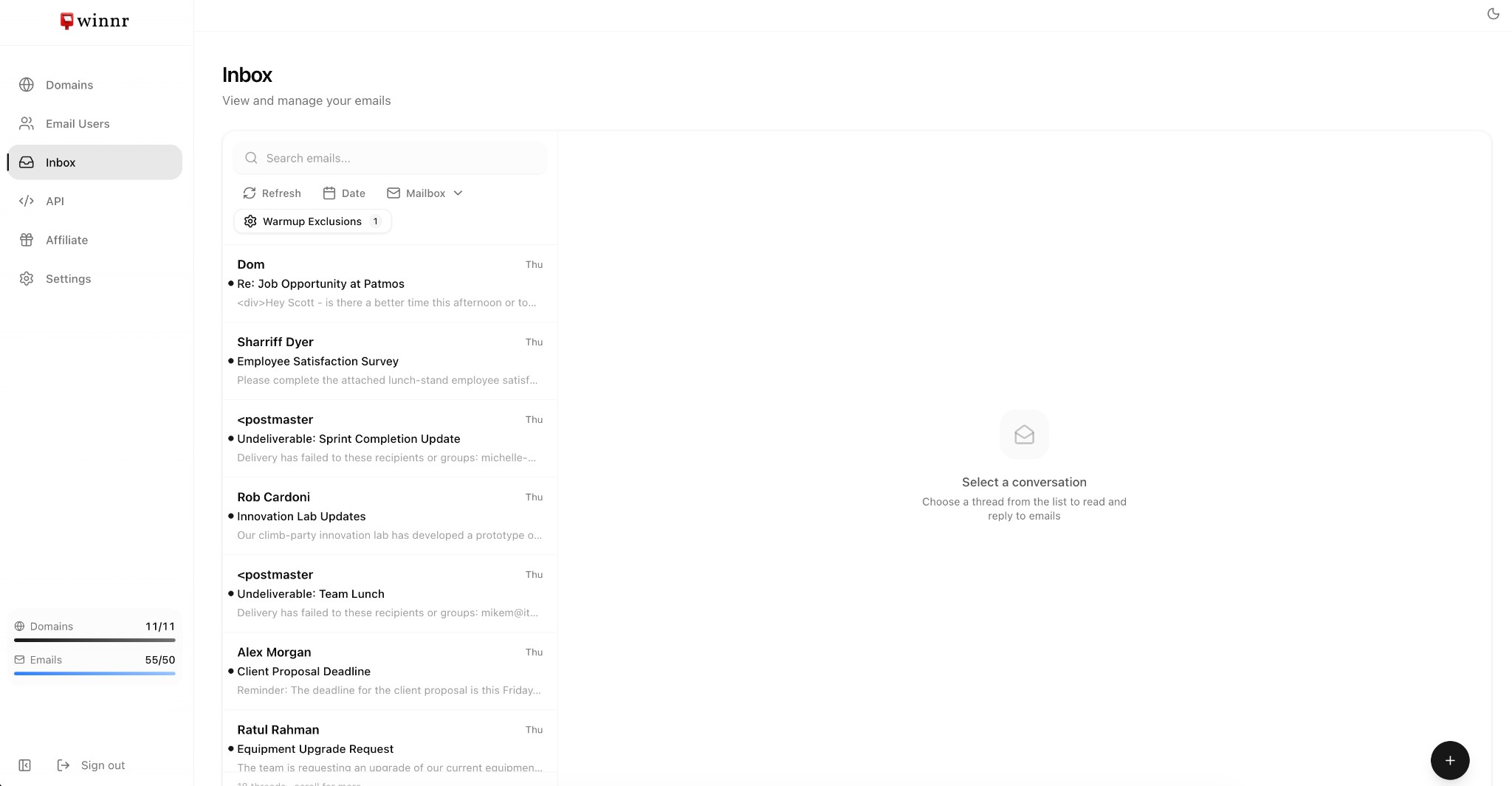
Read, send, delete emails programmatically. Build custom inbox management workflows.

// Create 10 email users in one call
curl -X POST https://api.winnr.app/v1/email-users/bulk \
  -H "Authorization: Bearer wnr_..." \
  -H "Content-Type: application/json" \
  -d '{
    "domain": "trymycompany.com",
    "users": ["john.smith", "jsmith", "john.s"]
  }'
200 OK · 42ms

Everything you need, built in

From domain setup to sending, every step is fast and simple.

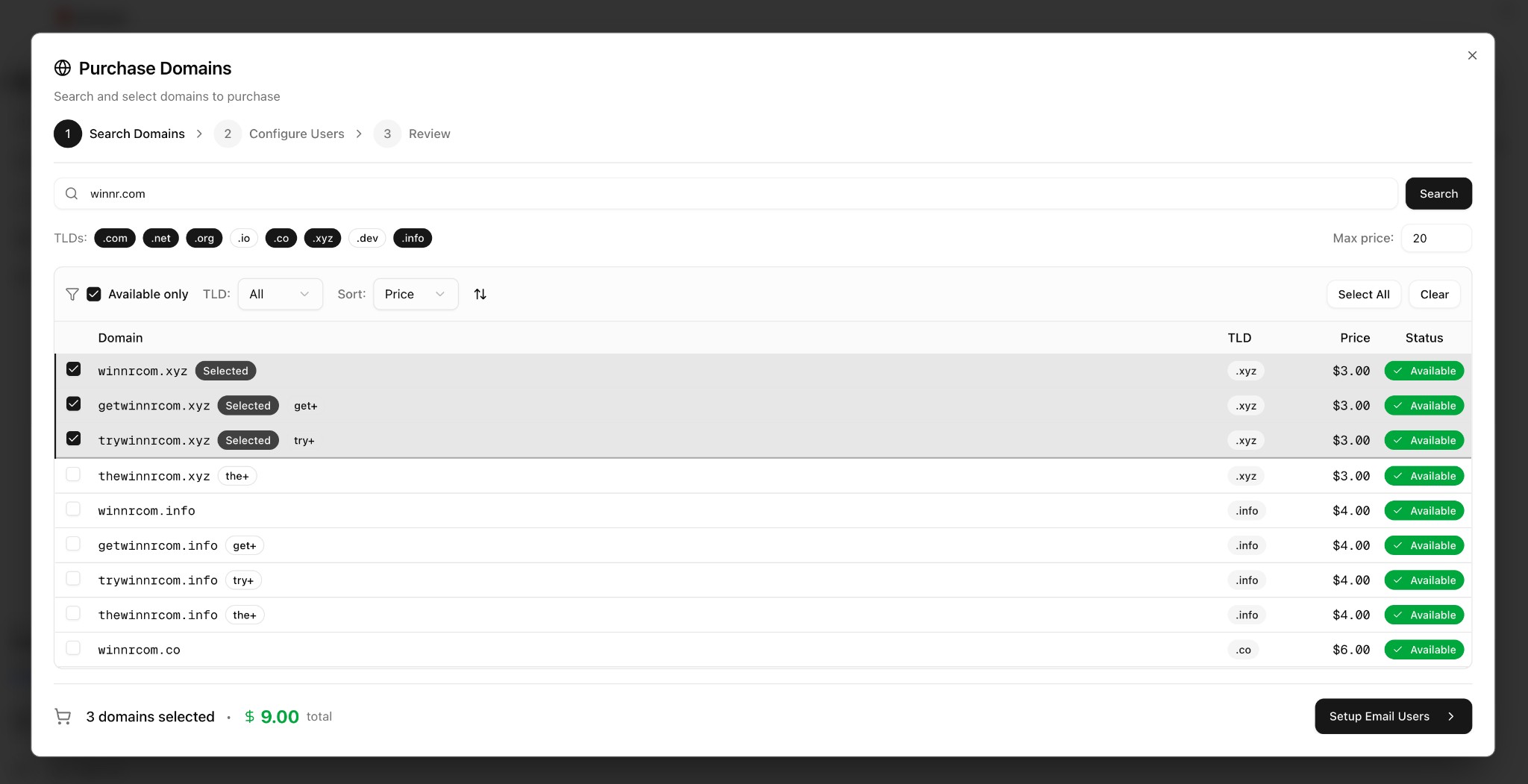
Purchase domains in winnr
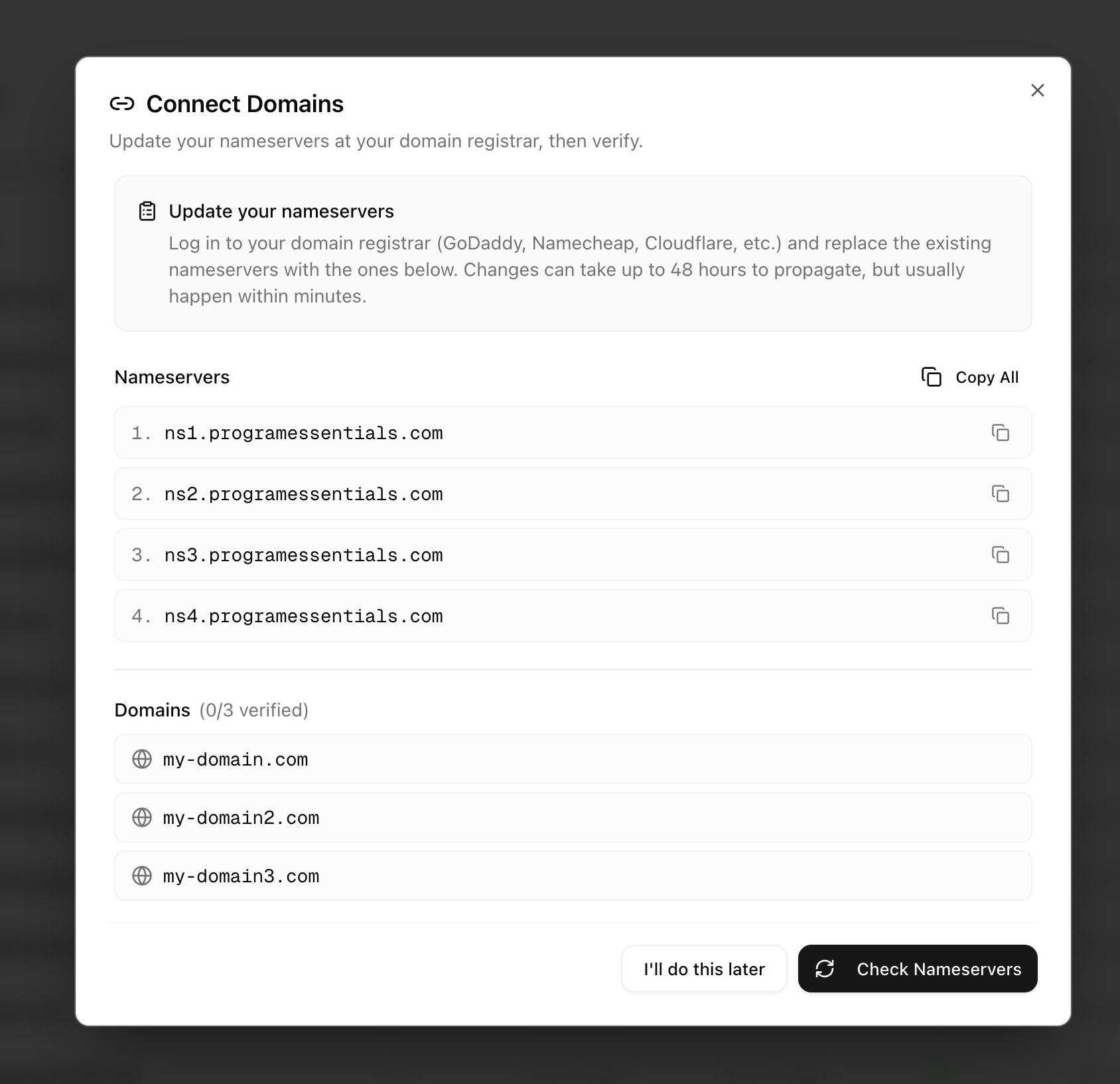
Connect domains in winnr
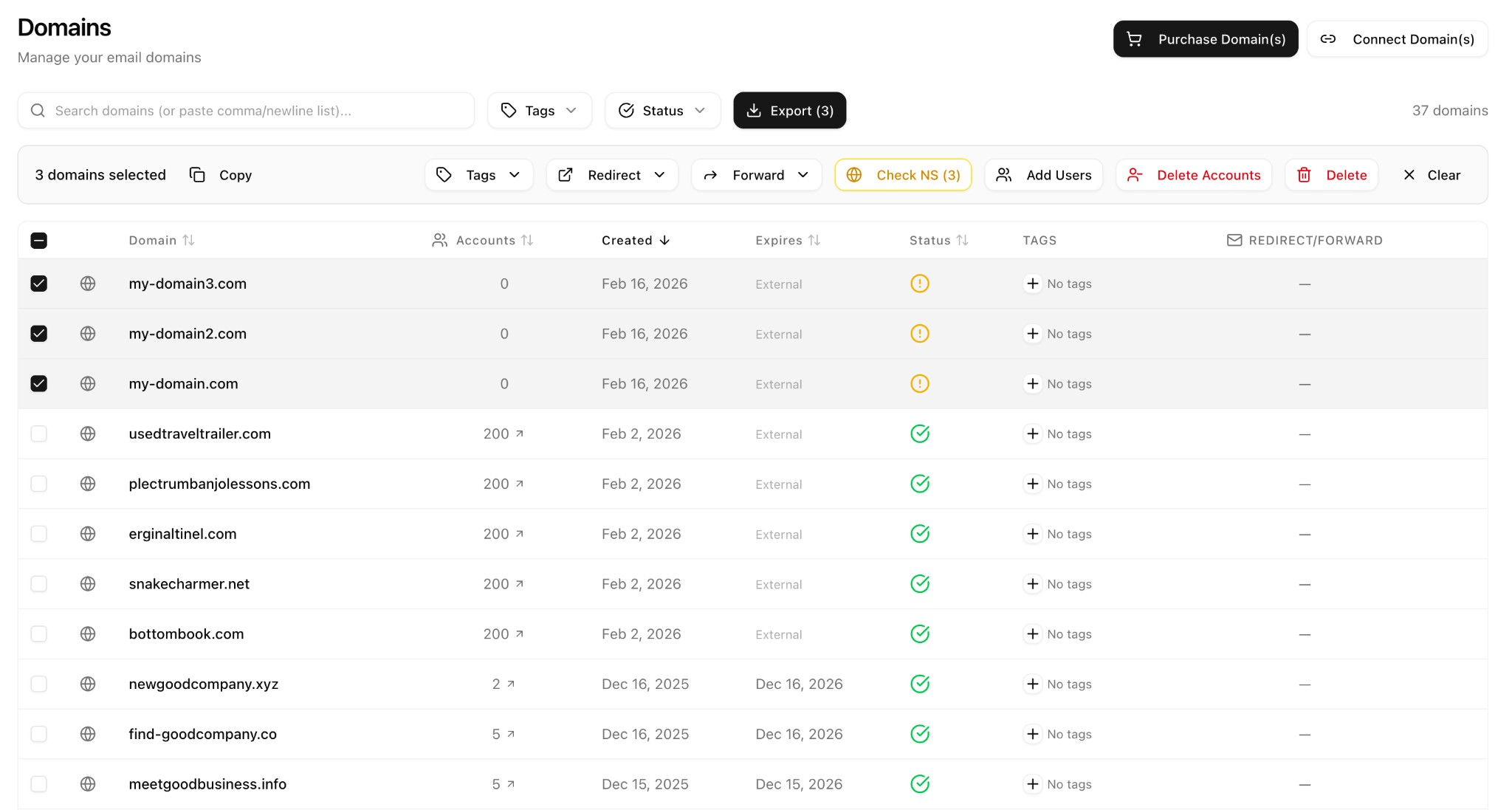
Bulk domain and user management
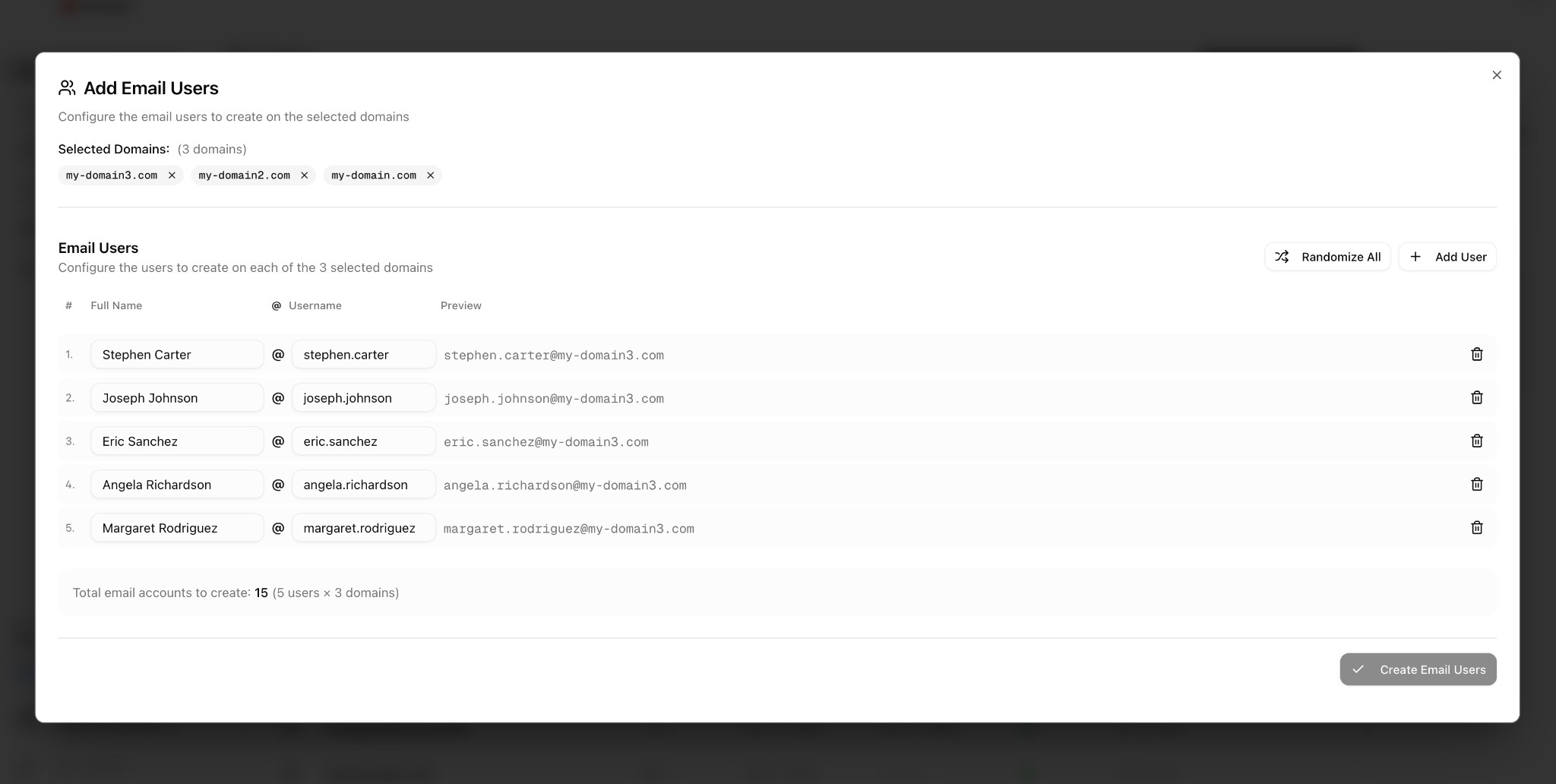
Add email users
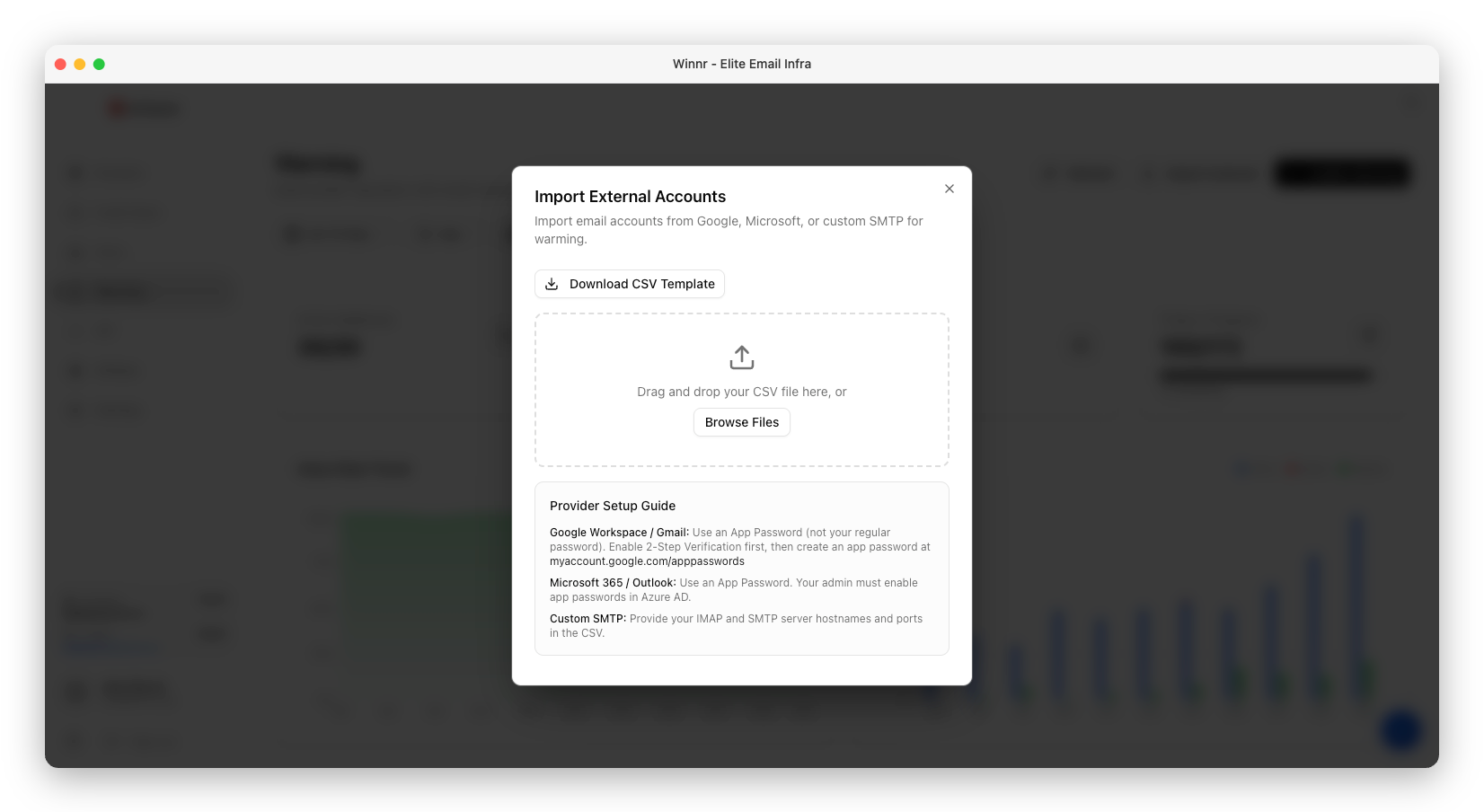
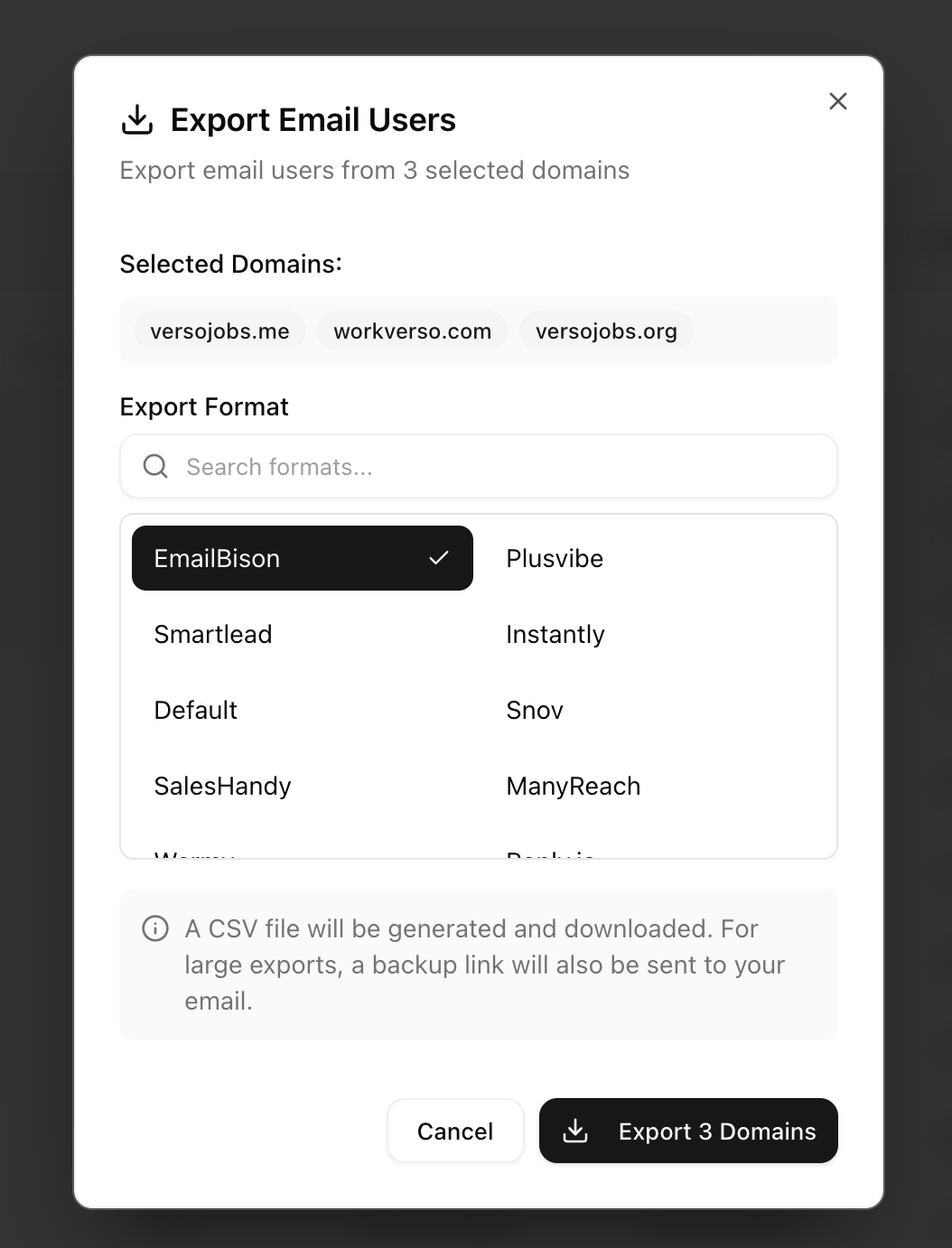
Export for all major platforms
Universal mailbox
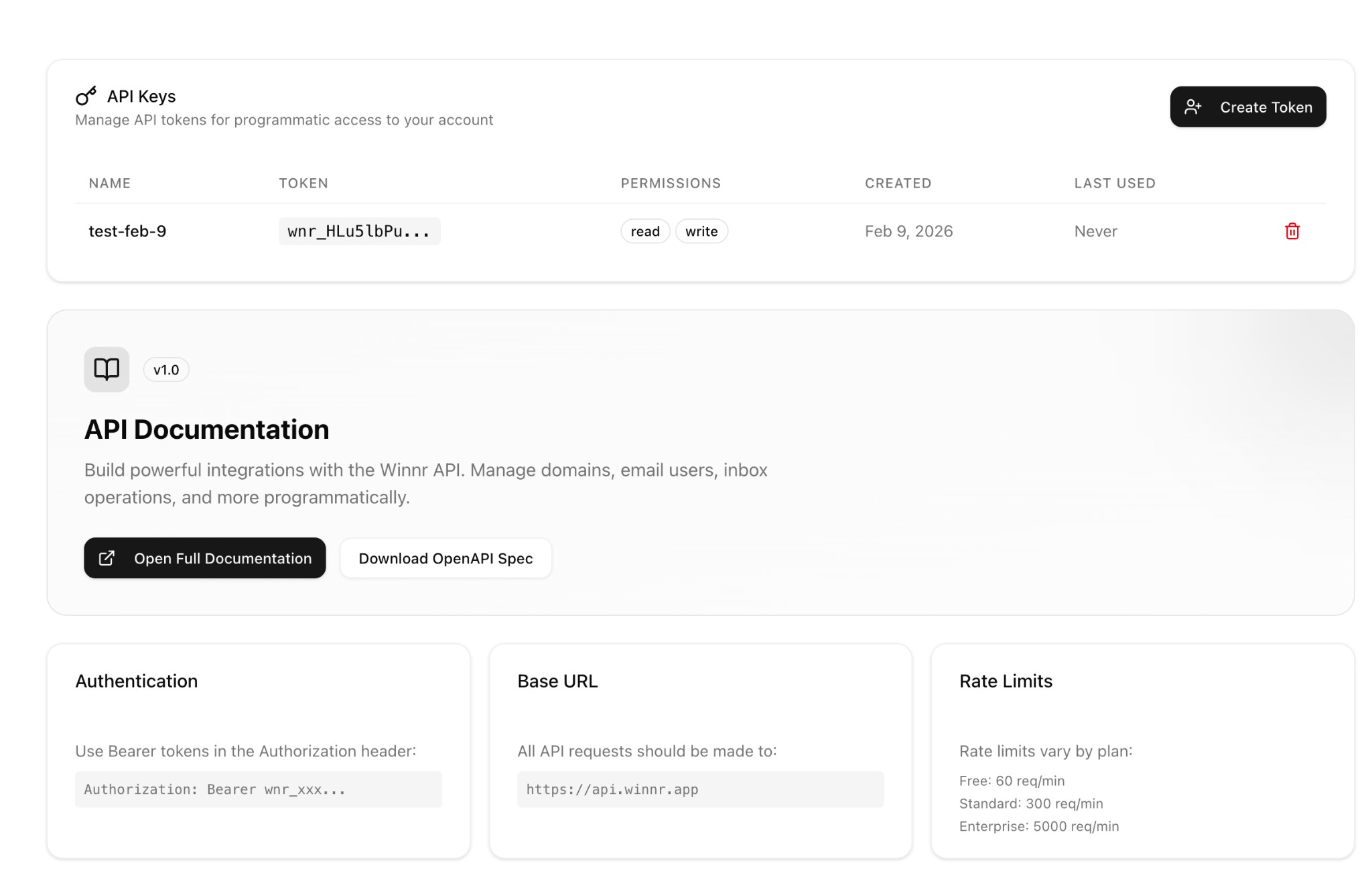
Self-serve API

What makes winnr different

How winnr compares with Google/Microsoft inboxes and other SMTP providers, at list prices as of October 2026.

Google Workspace or Microsoft 365 inboxes vs Winnr vs other SMTP providers, list prices as of October 2026
Google / Microsoft Winnr Other SMTP
Price per mailbox $7 to $8.40 per user/mo (Google Workspace Business Starter list price) $0.95 to $1.38 per mailbox/mo, extra mailboxes $1 $2.50 to $5+ per account/mo at 50 accounts
Setup Per-user setup and licensing Mailboxes created in bulk in minutes Mailbox minimums or fixed packages
Built for outbound Not built for outbound; accounts can be suspended over outreach Purpose-built for cold email Built for cold email
Connects to sequencers OAuth or app passwords per inbox SMTP/IMAP for any sequencer, CSV export for 20+ SMTP/IMAP
Billing Lower price needs an annual plan Billed monthly, cancel anytime Some need quarterly or annual billing
Dedicated IPs Not offered Optional, $20/IP/mo on Enterprise Often extra, pricing varies
Guarantee No deliverability guarantee 90% deliverability, or your latest month refunded Refund policies vary
Support Standard support only Email support; Slack & WhatsApp on Enterprise Support channels vary
Our guarantee

90% deliverability guarantee

We stand behind our infrastructure. If your mailboxes aren't reaching 90% deliverability, or you're not happy for any reason, ask and we'll refund your most recent month. No questions asked. (Domain purchases aren't refundable.)

Fully aligned DKIM, SPF & DMARC Enterprise-grade infrastructure Billed monthly, cancel anytime
90%
Deliverability guarantee
Last month
Refundable
100%
DKIM/SPF/DMARC

Trusted by
GTM EngineersDemand Gen AgenciesCold EmailersCold Email AgenciesSales TeamsEntrepreneursRecruiters

What cold email senders say about winnr, with links to the original reviews.

4.7
On Trustpilot (26 reviews)
90%
Deliverability guarantee, or your latest month refunded
Automatic
SPF, DKIM and DMARC on every domain
$69/mo
Starting price, 50 mailboxes

Plans that fit your outreach needs

Billed monthly. No annual contracts, no hidden fees, cancel anytime.

Startup
For individual companies and entrepreneurs getting started with cold email.
$69/mo
  • 50 email accounts (+$1/each extra)
  • 10 domain slots (free to raise)
  • DKIM, SPF, DMARC setup
  • ~2,500 emails/day incl. warming (75k/mo)
  • Universal mailbox
  • Connect domains from any registrar, free
  • Full REST API
  • Email support
Domains are a one-time purchase, priced per extension
Get started
Enterprise
For agencies and consultants with higher volume needs, with optional dedicated IPs.
$189/mo
  • Everything in Startup
  • 200 email accounts (+$1/each extra)
  • 40 domain slots (free to raise)
  • 5 free domain purchases
  • ~10,000 emails/day incl. warming (300k/mo)
  • Dedicated IPs available ($20/IP/mo)
  • White-glove domain setup from Cloudflare, Namecheap, Spaceship & other registrars
  • Phone, WhatsApp & Slack support
Domains are a one-time purchase, priced per extension
Get started

Extra email accounts $1/month, domain slots free, warming $0.60/mailbox, pre-warmed mailboxes $3/address. See full pricing →

Affiliate program

Love winnr? Earn 40% recurring commissions.

Refer customers to winnr and earn 40% of their subscription, paid every month for 12 months per referral.

40% recurring Paid monthly No cap on earnings
Join the program →
New feature

Built-in Email Warming

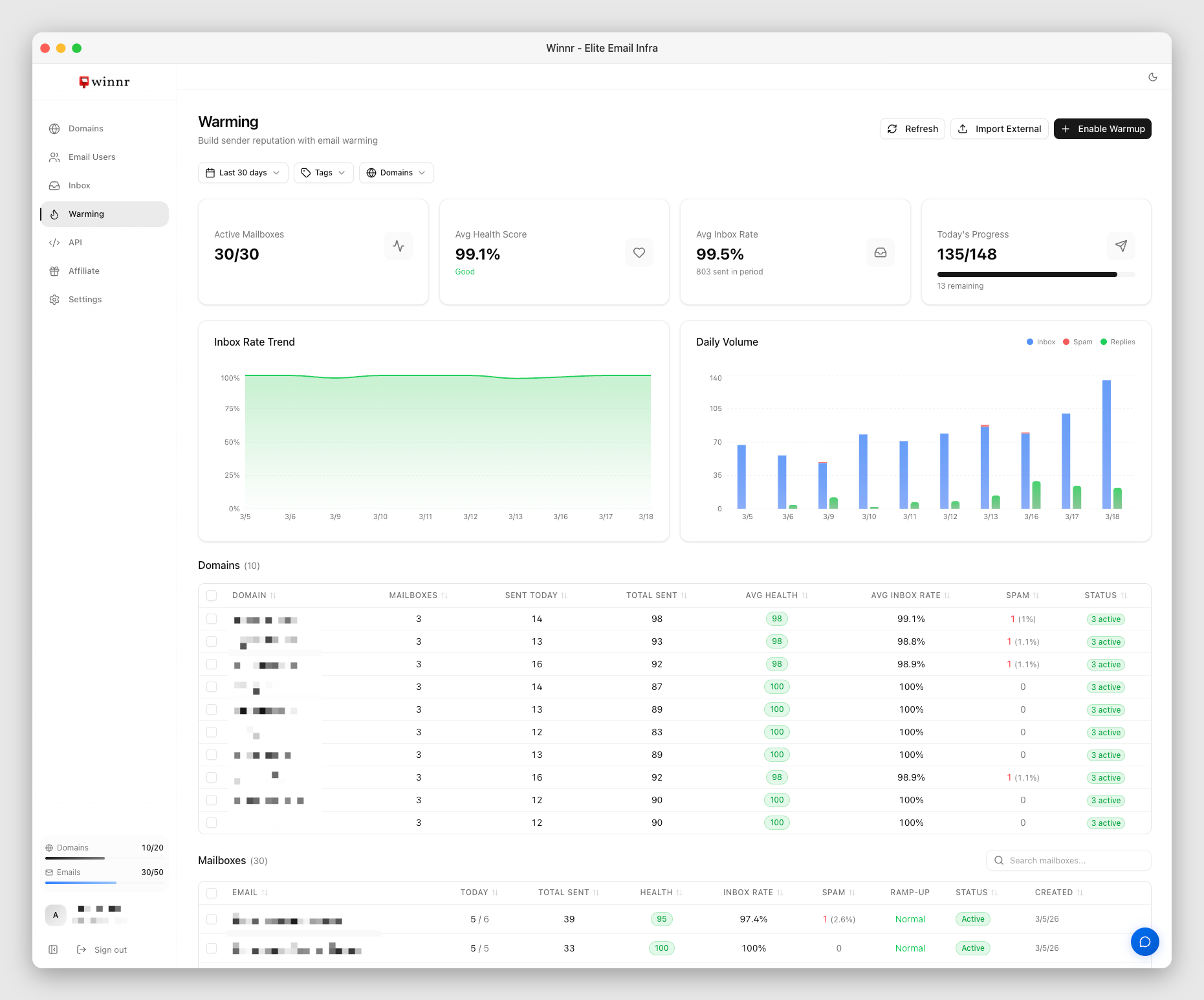
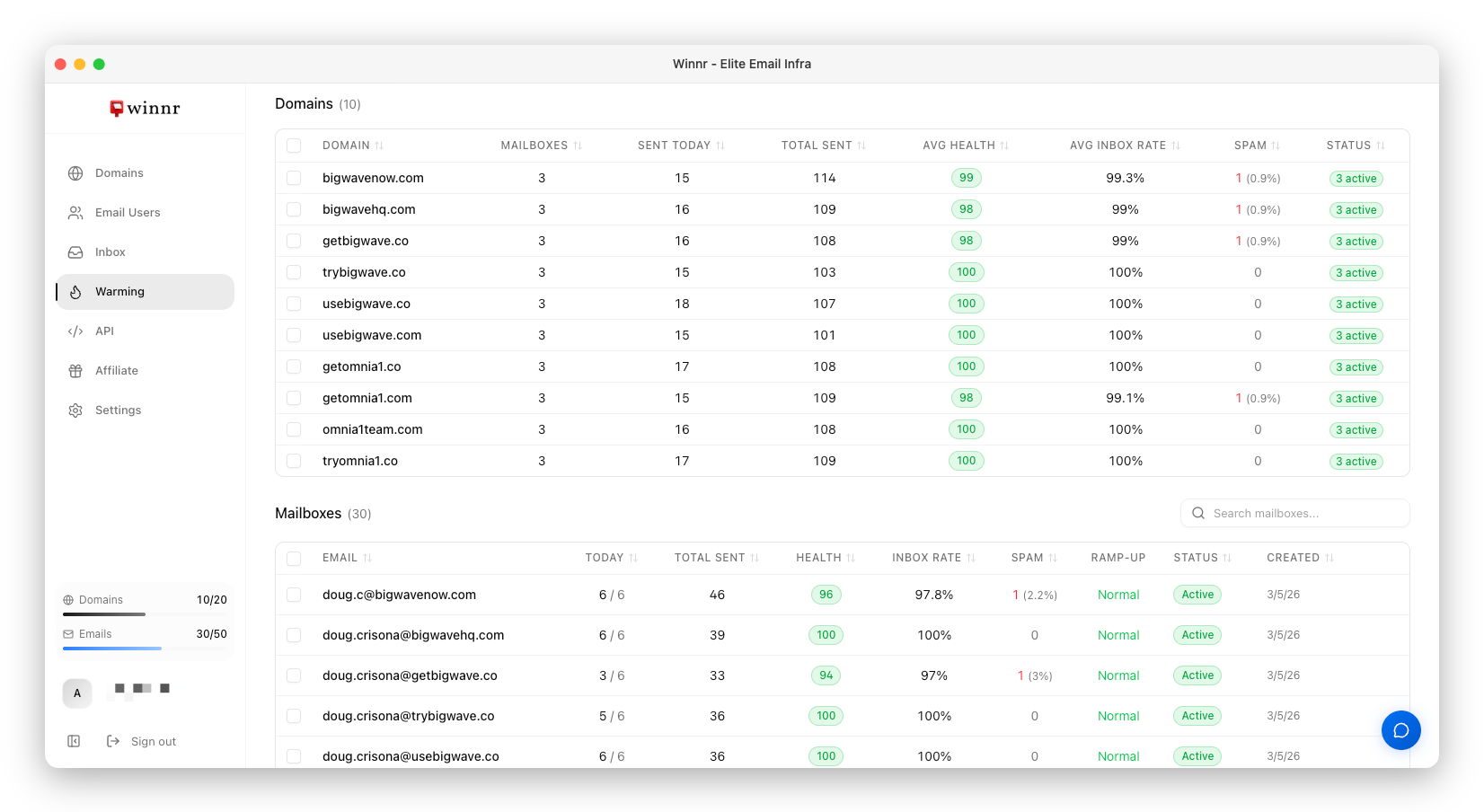
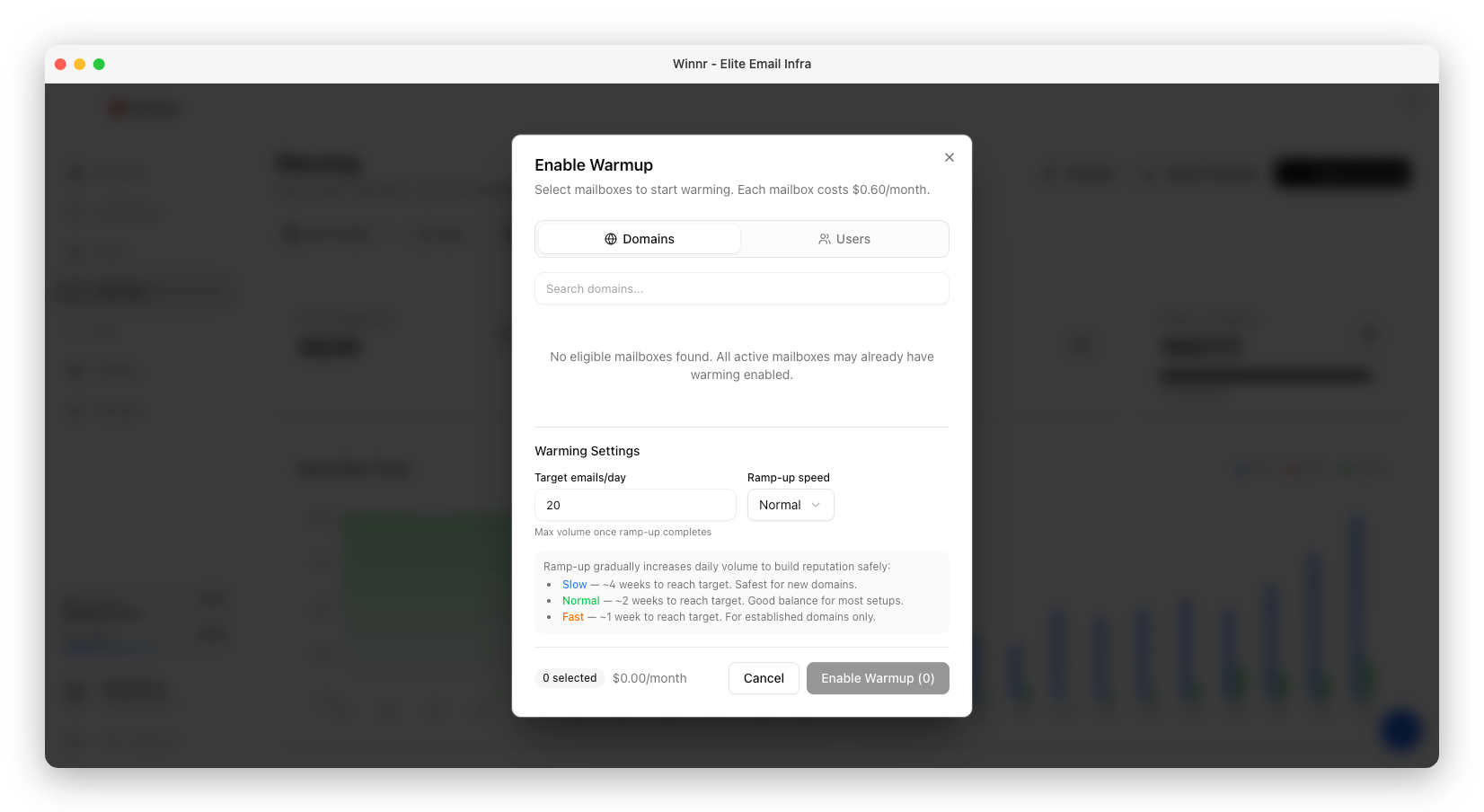
Build sender reputation and improve deliverability with automated email warming, right inside winnr. No third-party tools needed.

One-Click Enable

Enable warming on any mailbox with a single click. No external accounts to manage.

Real-Time Analytics

Track inbox rate, health score, and daily volume with detailed charts and metrics.

Smart Ramp-Up

Automatic volume ramping that builds reputation gradually for maximum deliverability.

$0.60 /mailbox/month
How built-in warming works →

Frequently asked questions

Winnr is a cold email infrastructure provider. It sells SMTP/IMAP mailboxes on its own sending servers, not Google Workspace or Microsoft 365 seats, from $69/month for 50 mailboxes ($1.38 each) to $189/month for 200 ($0.95 each). SPF, DKIM and DMARC are set up automatically, and mailboxes export to Instantly, Smartlead and 20+ other sequencers. For a cost comparison, see Winnr as a Google Workspace alternative.

Create an account at app.winnr.app/signup. You can look around the app without a card. Buying or connecting domains and creating mailboxes needs a paid plan, starting with Startup at $69/month. See Winnr plans and pricing.

Plan on about 5 mailboxes per domain: 50 mailboxes need about 10 domains, 200 need about 40. At 10 to 20 cold emails per mailbox per day, 10 domains carry 500 to 1,000 cold emails a day. Run your own numbers in the cold email calculator.

Each mailbox sends about 50 emails a day in total, warming included. For cold email to prospects, we recommend 10 to 20 per mailbox per day (15 is the default). With 50 mailboxes on Startup, that is roughly 500 to 1,000 cold emails a day after proper warmup.

Domains are a one-time purchase, priced per extension and shown at checkout before you buy. A .com is about $13, and some extensions cost a few dollars. Bringing your own domains is free, and Enterprise includes 5 free domain purchases. See how to choose domains for cold email.

Yes, from any registrar, at no cost. Point the domain's nameservers to Winnr and the MX, SPF, DKIM and DMARC records are set up for you, or add the records yourself at your current DNS host. See how to connect a domain you already own.

Yes. Export a ready-to-import CSV for 20+ sequencers, including Smartlead, Instantly, EmailBison, PlusVibe, Snov and Reply.io. Any other tool that connects mailboxes over SMTP and IMAP works with the default export. See the export guide for each sequencer.

They can. Inbox placement depends on domain reputation, authentication, list quality, content and volume per mailbox as much as on who hosts the mailbox. The habits that matter most are the same either way: warm new mailboxes, keep to 10 to 20 cold emails per mailbox per day, and send to verified addresses. Some teams prefer Google-hosted inboxes for particular audiences, and that is a reasonable choice. See how SMTP mailboxes for cold email work.

Yes. Winnr mailboxes send to Outlook, Hotmail and Microsoft 365 addresses like any other recipient. Microsoft filters heavily on sender reputation, so warm new mailboxes first, keep cold volume to 10 to 20 emails per mailbox per day, verify your list and watch bounce rates. If you are weighing Microsoft-hosted inboxes instead, see Winnr as an Outlook and Microsoft 365 alternative.

Most senders should use shared IPs. By default every Winnr mailbox sends from shared, managed infrastructure. Dedicated IPs are optional on Enterprise at $20 per IP per month and make sense at high, steady volume, or when you want a reputation no other sender can affect. Neither is automatically better. See when a dedicated IP is worth it.

Winnr has built-in email warming. Turn it on for any mailbox with one click for $0.60/mailbox/month, and track health scores, inbox rates and volume in the dashboard. No third-party tool is needed. See how built-in email warming works.

At least 2 weeks, ideally 4 weeks for new domains. If you need to send sooner, pre-warmed mailboxes on aged domains are ready to send the day you buy them, at $3 per address per month.

Replace it. Stop sending from the domain, buy or connect a new one (a .com is about $13, one-time), create mailboxes and warm them for 2 to 4 weeks before sending cold email. To skip the wait, buy pre-warmed mailboxes at $3 per address per month. Spreading volume across many domains with about 5 mailboxes each means one bad domain never stops your whole program. Read how to recover a burned domain.

Startup includes 50 email accounts and Enterprise includes 200. Additional accounts are $1 each per month on either plan.

Yes. A full REST API automates domains, email users, inboxes and more, and the MCP server lets AI agents such as Claude do the same. Generate a token from your dashboard. The API is included with every plan at no extra cost. Read the Winnr API documentation or see the Winnr MCP server.

Keep Workspace for your team's everyday email on your main domain and send cold email from separate domains on Winnr. Buy new domains in Winnr or connect secondary domains you already own, create mailboxes, warm them for 2 to 4 weeks (or buy pre-warmed mailboxes), then export the SMTP/IMAP credentials to your sequencer. Connecting a domain points its mail records at Winnr, so only connect domains whose Workspace inboxes you are retiring, never your main domain. See the Google Workspace alternative guide.

Winnr runs its own sending infrastructure. 50 SMTP mailboxes take minutes to set up and cost $69/mo on Startup ($1.38 each), while Google Workspace Business Starter costs $7 to $8.40 per user per month (as of October 2026) and each inbox is set up separately. Winnr is billed monthly, with no yearly contract. Read SMTP vs Google Workspace vs Microsoft 365 for cold email.

To send cold email at volume from domains kept apart from your main company domain, without paying Google Workspace per-seat prices ($7 to $8.40 per user per month for Business Starter, as of October 2026) for every sending inbox. The goal: more replies, meetings and demos.

Email authentication standards. SPF lists the servers allowed to send for a domain, DKIM signs each message, and DMARC tells receivers what to do with mail that fails. Gmail and Yahoo have required them for bulk senders since February 2024. Winnr sets all three up automatically on every domain, aligned so they pass, with DMARC at p=reject by default. More terms are defined in the cold email glossary.

Winnr sets up aligned SPF, DKIM and DMARC on every domain, runs its own sending infrastructure, and enforces strict anti-spam terms. If your mailboxes aren't reaching 90% deliverability, ask and we'll refund your most recent month (see the refund policy). Follow the cold email best practices to get the most from your mailboxes.

Entrepreneurs, sales teams and demand gen agencies who want to scale cold email properly. Agencies can keep separate domains per client and organize them with tags (see cold email inboxes for agencies). winnr is not for spammers. We only work with legitimate businesses.

Winnr is for legitimate B2B outreach. Phishing, impersonation, malware, illegal products, adult content, gambling, pharmaceuticals, payday loans, debt relief, get-rich-quick offers and list rental are not allowed. Every cold email must include your company name and a physical address, say why you are reaching out, and offer an unsubscribe honored within 7 days. Accounts that break these rules can be suspended. The full rules are in the Winnr terms of service.

Yes. Winnr pays 40% recurring commission for 12 months on each customer you refer, paid monthly, with no cap on earnings. See the Winnr affiliate program.
Get started today

Start scaling your outreach

Create your account in a minute. Plans from $69/mo, billed monthly, cancel anytime.

Monthly billing Cancel anytime $1 extra email accounts